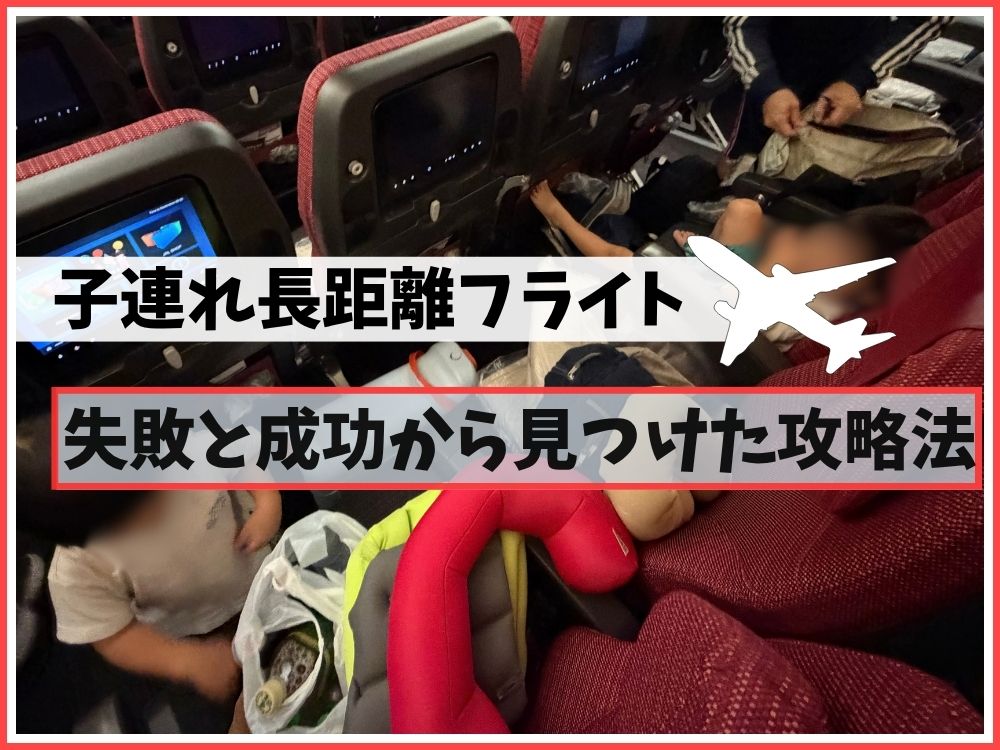
I previously shared our packing list for a 5-hour flight, but this time, moving to Ireland, we took on the longest flight we’ve ever done: 14.5 hours including a transit.
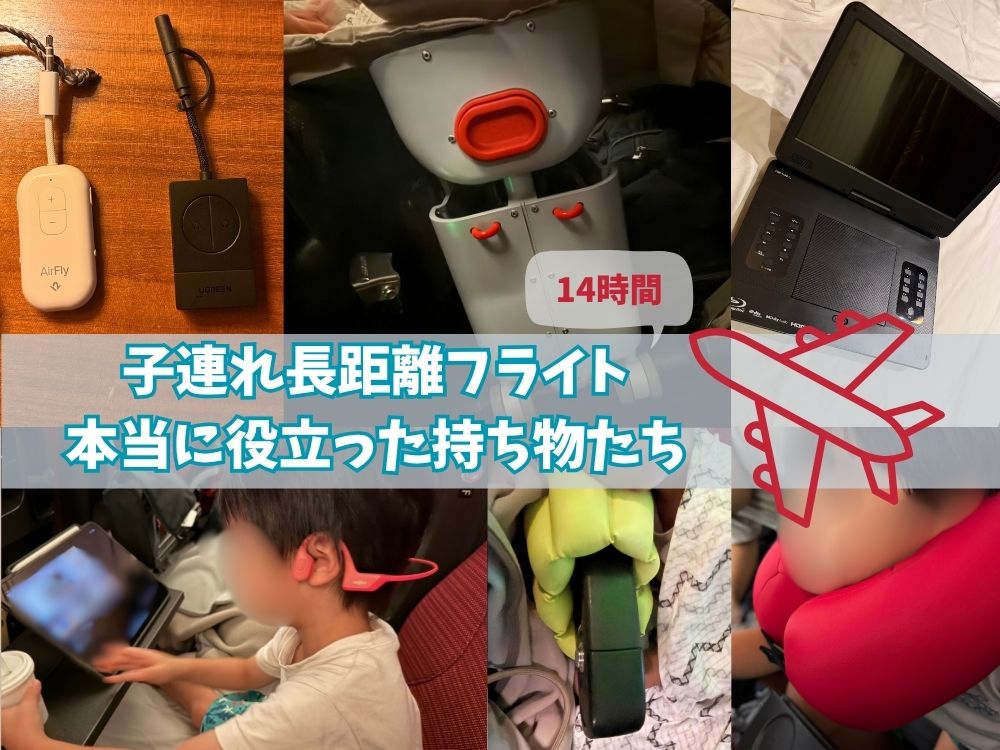
I wrote about how we got through the flight itself in this article, but here I want to go into detail on the gear that really saved us.
- Our honest take on using the Stokke JetKids BedBox
- A new way to use the MOGU neck pillow
- Why bone-conduction headphones + iPad are our go-to combo
- Comparing Bluetooth transmitters: AirFly Pro 2 vs. UGREEN
- What to look for in a portable Blu-ray player
Gear for Getting Real Sleep
Stokke JetKids BedBox
The single most useful item this time was Stokke’s “JetKids” BedBox.
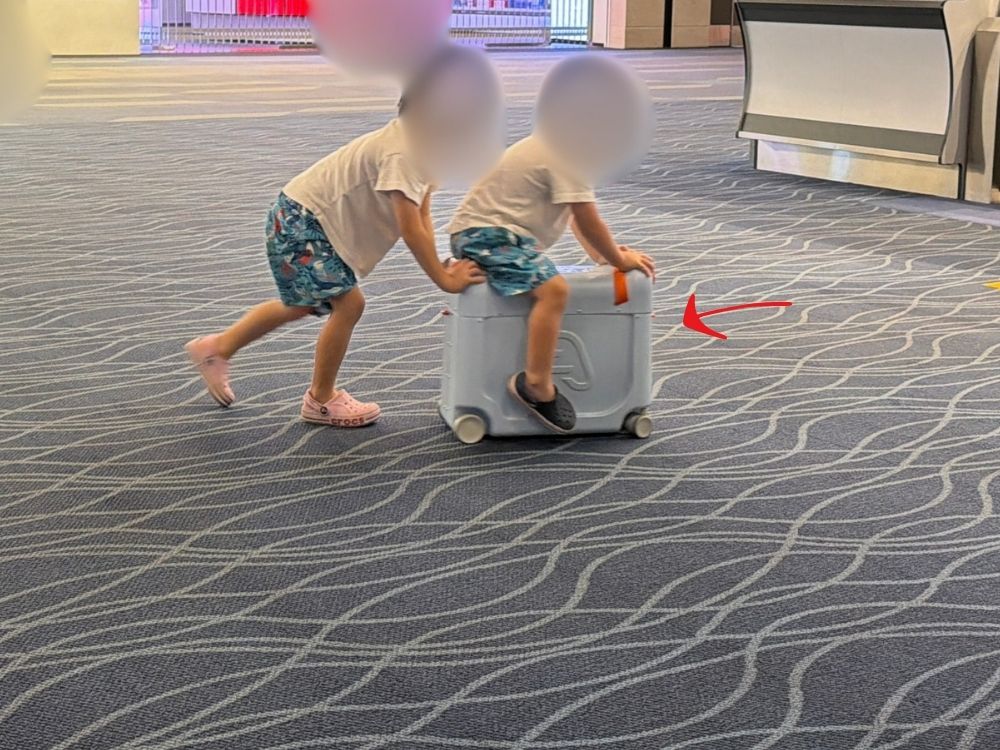
We’d actually owned this for a while, but since it’s bulky and doesn’t hold much, we rarely used it on regular trips. This time, though, it was a lifesaver!
- Weight: 3 kg (6.6 lbs)
- Capacity: 20 liters
- Dimensions: 46 x 20 x 36 cm (18.1 x 7.9 x 14.2 in)
- Mattress unfolded: 73 x 42 x 11 cm (28.7 x 16.5 x 4.3 in)
- Recommended age: about 2-7 years old (up to 35 kg / 77 lbs)
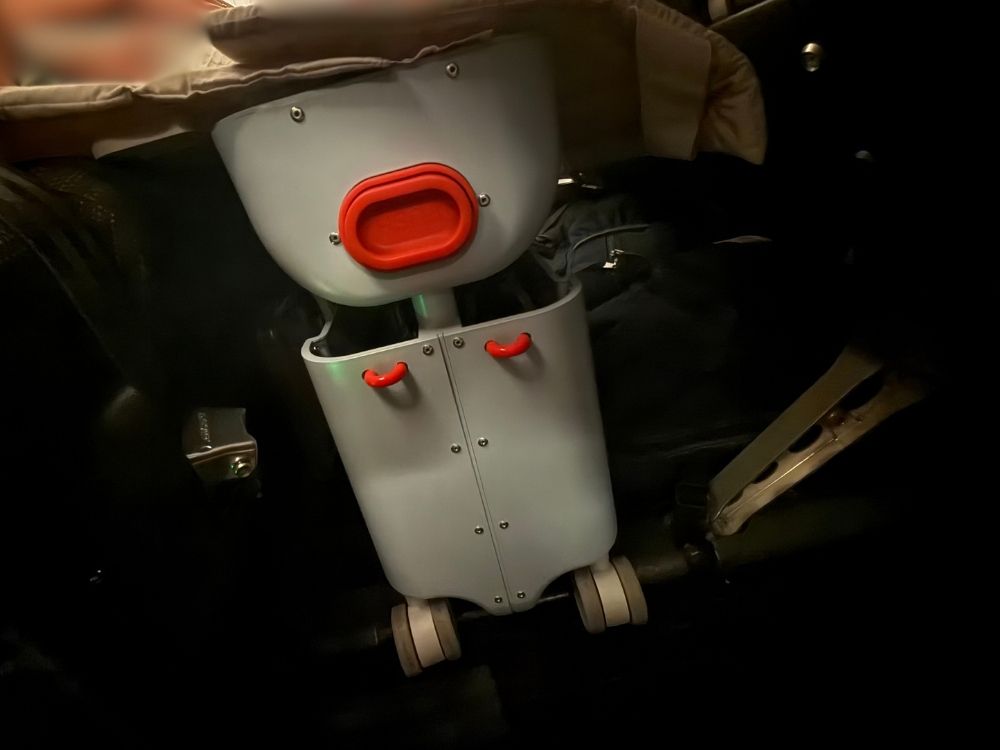
It fills in the footwell space to make a flat surface, giving kids a spot where they can lie down and sleep.
You flip the lid over and slide it toward the seat to lock it securely in place.
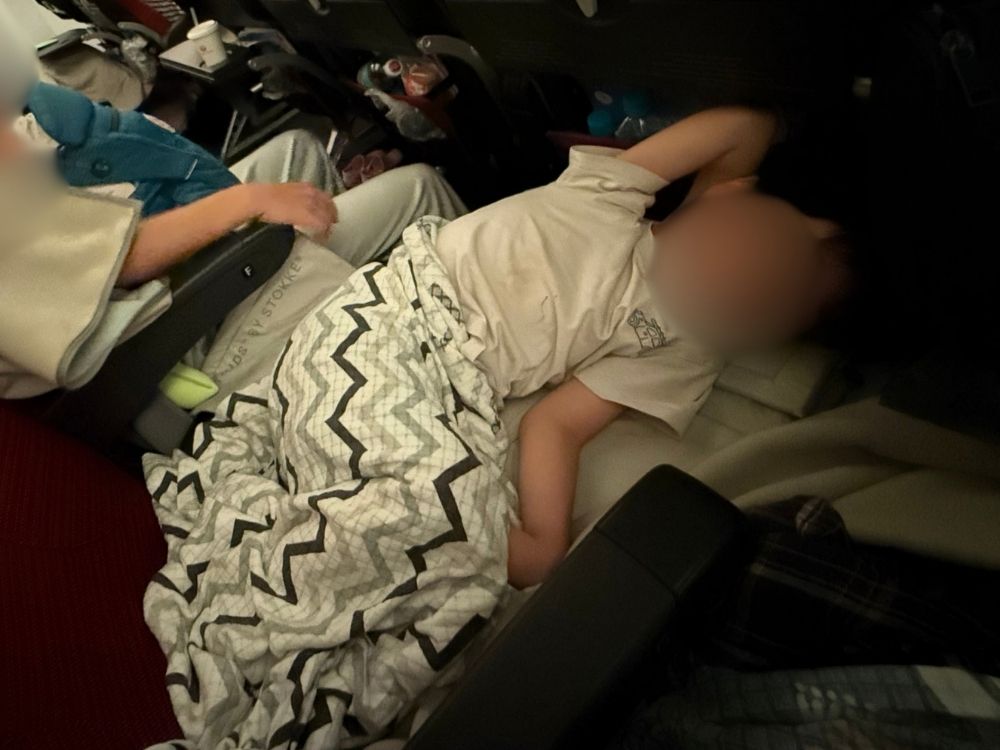
It comes with a little blanket too, so you can just lay your child down as-is.
It’s rated to hold up to 35 kg (77 lbs), so it feels solid and stable.
Both my younger son (2 years 9 months) and my older son (4 years 9 months) seemed to sleep soundly on it.
Depending on the seat spacing on your flight, there can be a gap left with just the BedBox alone. If that happens, wedging a backpack or something else in there helps keep it stable!

On short flights, honestly, it just felt like extra luggage. But on a long-haul flight, I really felt it show its true value.
It was so much more useful than we expected that, even though we only had one, we bought a second one right after arriving in Ireland (haha).
Find the Stokke JetKids BedBox!

Honestly, the JetKids BedBox is a pretty expensive purchase.
There are also inflatable footrest options out there, and those seem like a good choice too.
But when you think about getting kids to actually lie down and sleep, the stability of the JetKids BedBox was really reassuring.
⚠️ A lot of secondhand JetKids BedBoxes are sold, but we noticed many of them have broken wheels.
It rolls really smoothly on flat surfaces like an airport floor, but it seems vulnerable to bumps and curbs.
If you’re buying one used — or even using your own — keep an eye on wear and tear around the wheels!
MOGU Neck Pillow: We Found a New Way to Use It
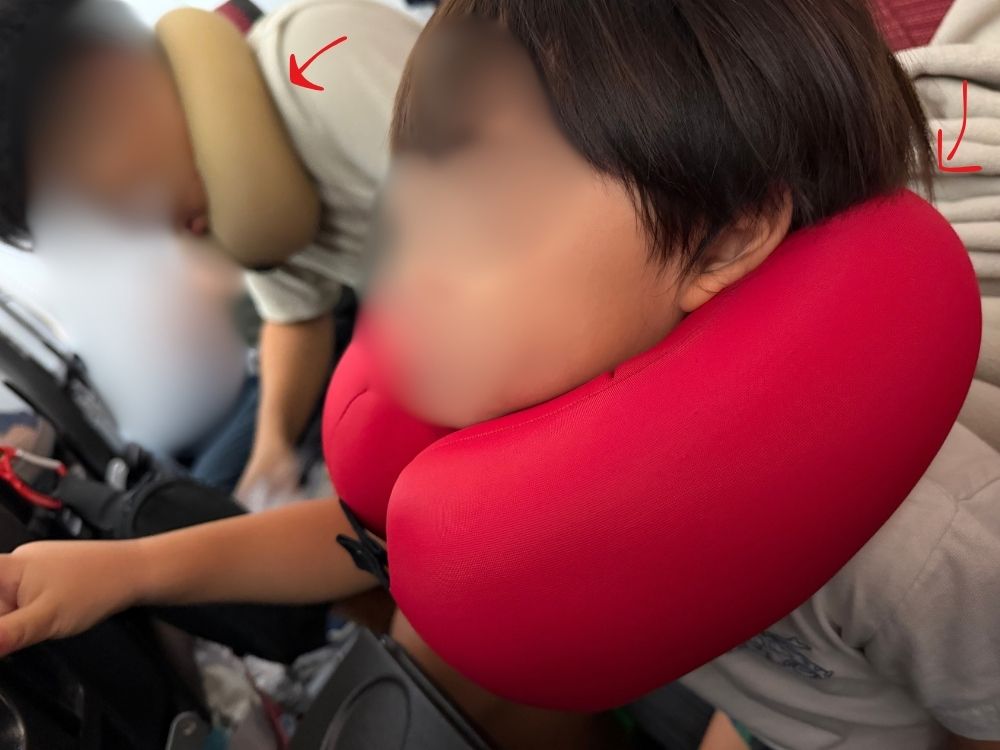
We’ve long loved our MOGU neck pillow (a Japanese brand known for ergonomic beads pillows) — it holds your neck securely without feeling tight, and that works for both adults and kids.
MOGU Neck Pillow
This time we tried to buy a second one, but it wasn’t going to arrive before our flight, so we ended up grabbing a different model at the last minute: the “MOGU Smart Neck Pillow.”
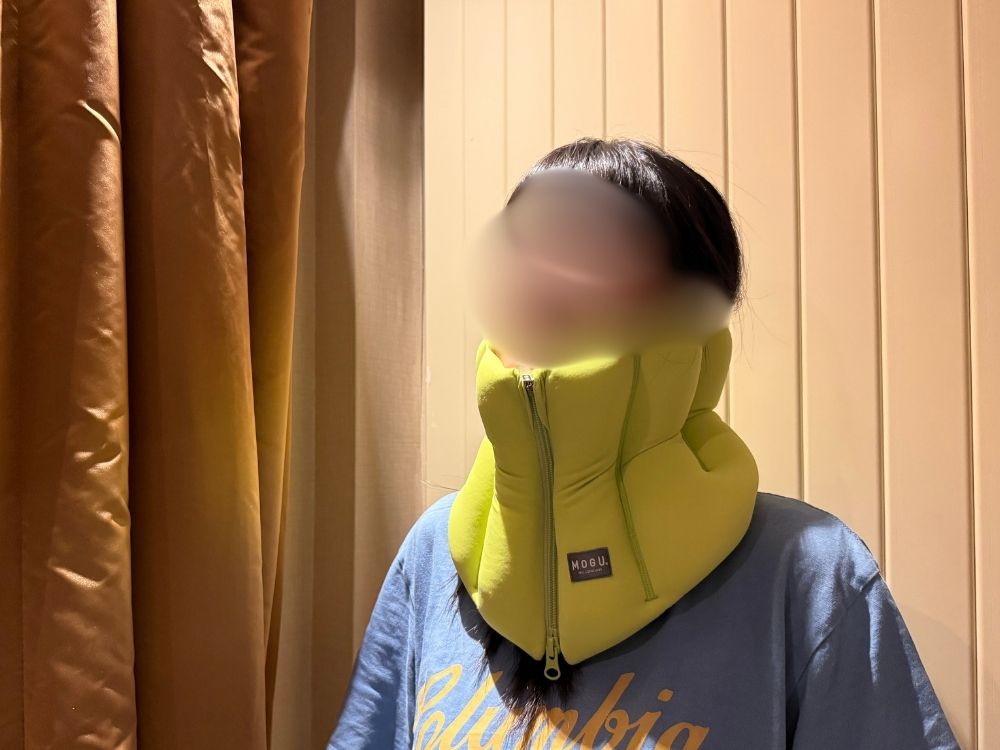
When we put it on, it made us look like our necks were folded in half (haha).
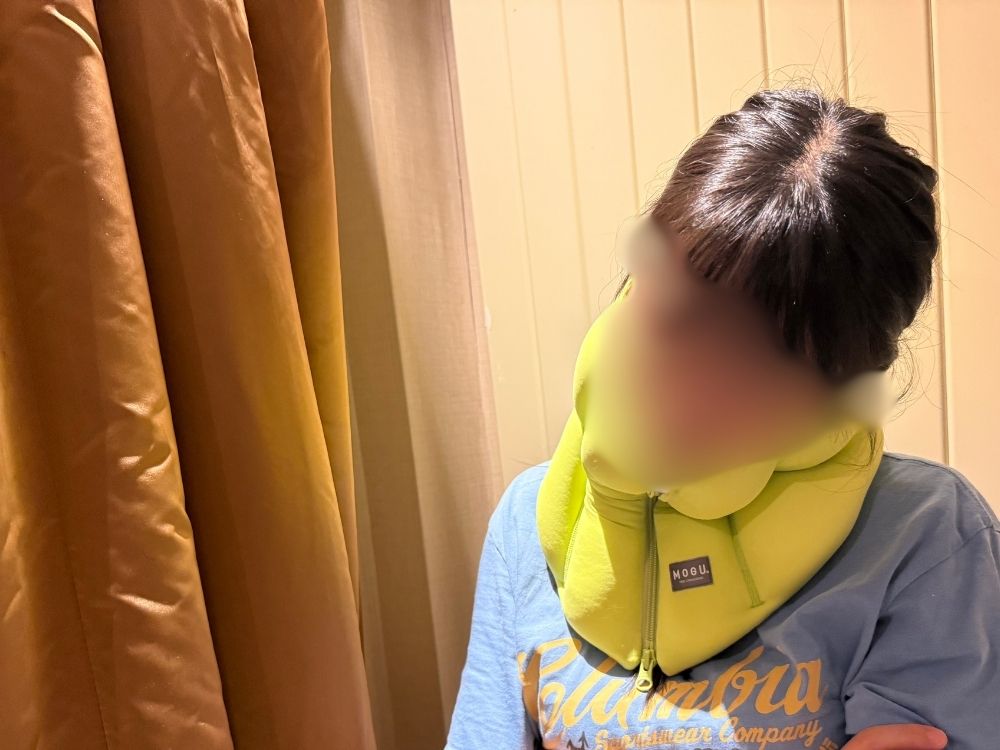
The red one was way more stable, and we figured this had been a mistake, but —
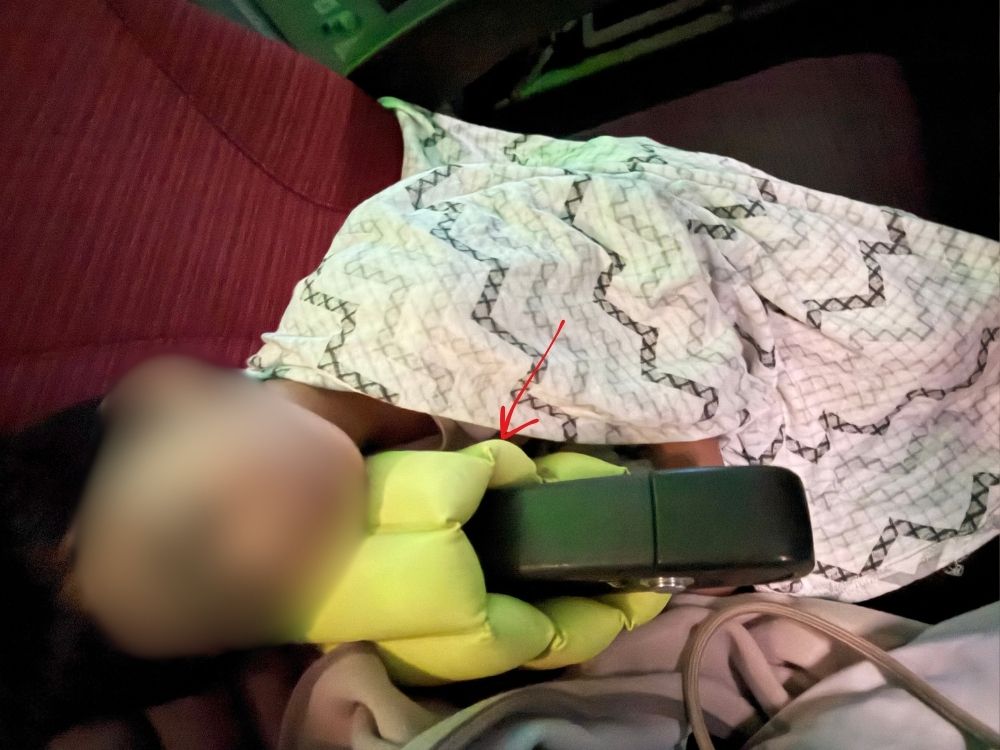
wrapping it around the armrest like this turned it into the perfect pillow for the kids!!
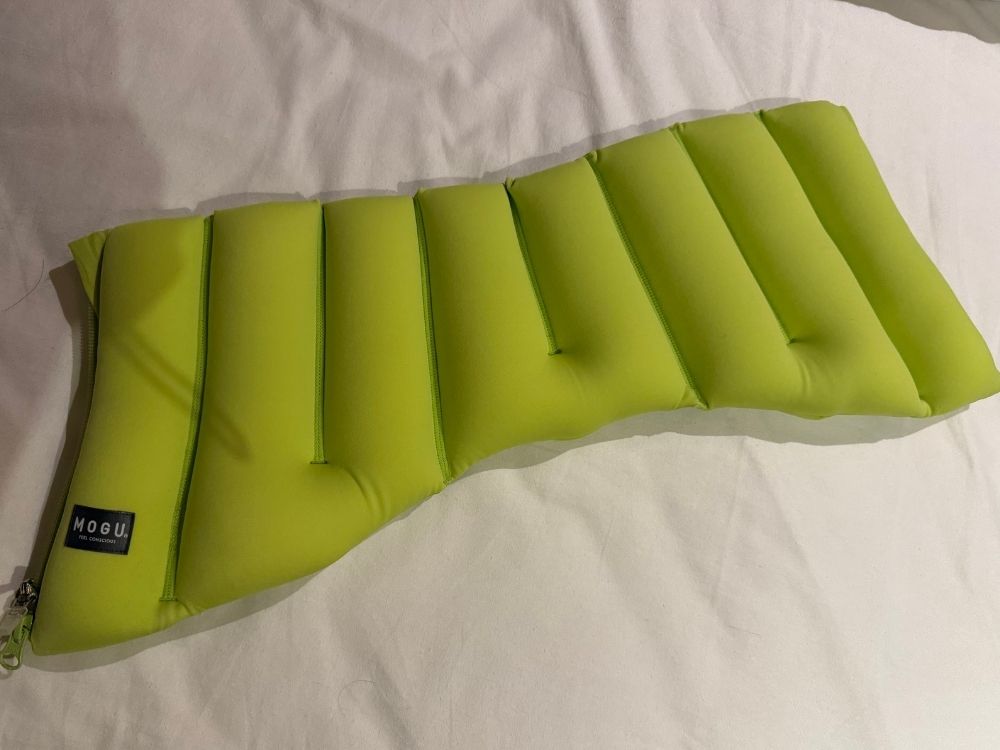
Unzip it and it unfolds into a long, flat shape.
MOGU Smart Neck Pillow
Unfolded like that, we could use it as lower-back support for adults, or as a pillow for the kids to lie down on!
Gear for While They’re Awake
Bone-Conduction Headphones + iPad: Our Winning Combo
For watching videos, the same bone-conduction headphones + iPad combo we mentioned in an earlier article pulled through again this time.
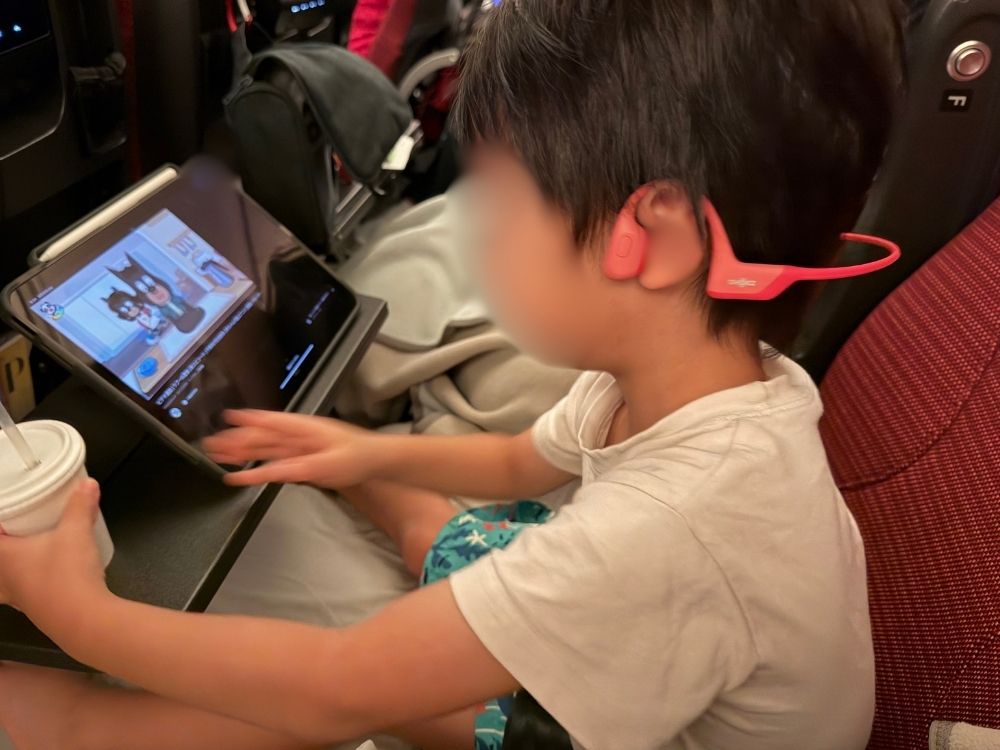
We chose bone-conduction headphones because they let you still hold a conversation clearly while wearing them.
If you pick an outdoor/sport model, even the adult size fits a kid’s head just fine.
We tried on a bunch of options in stores, and for price, sound, and fit, the SHOKZ model came out on top for us personally.
The battery lasts a long time too, and your ears don’t start hurting even after wearing them for hours!
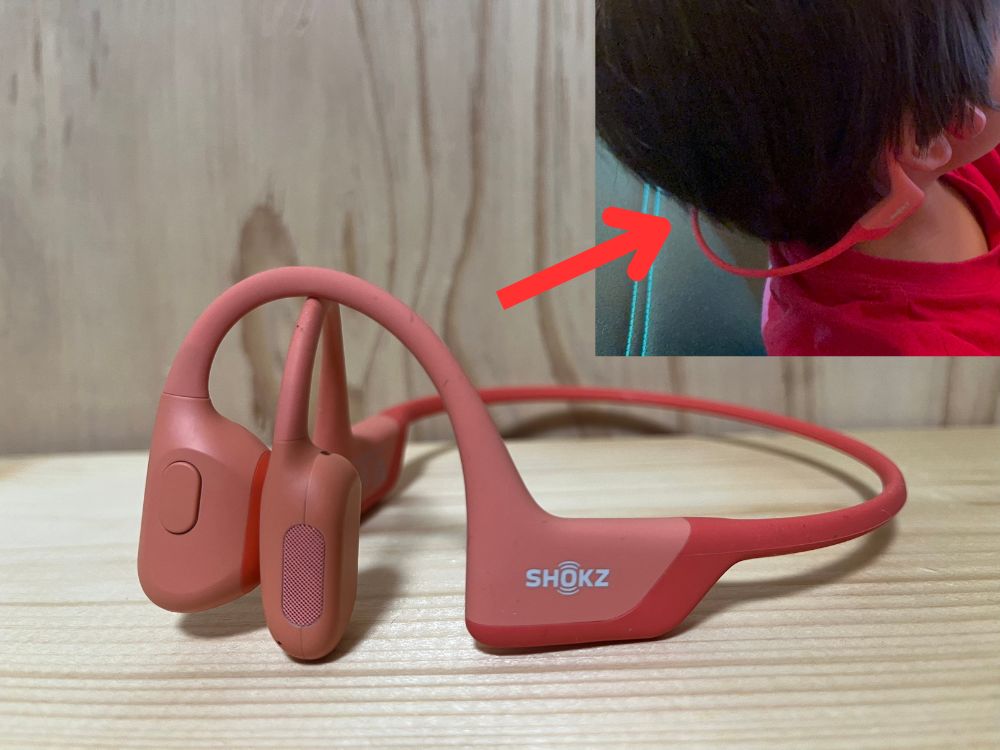
Even with the open space at the back like this, it fits surprisingly well — no need to buy a kids’ version!
Things We Packed But Didn’t End Up Using
We also want to honestly share the things we packed “just in case” but never actually used. Hopefully this helps if you’re about to take on your own long-haul flight with kids.
Bluetooth Transmitters (AirFly Pro 2 / UGREEN)
On a past flight, our kids wanted to watch something on the seatback screen, but the airline’s headphones didn’t fit them, and the earphones/headphones we’d brought wouldn’t connect properly — so they ended up not being able to watch at all.
So this time, we brought a Bluetooth transmitter so we could connect our usual SHOKZ bone-conduction headphones.
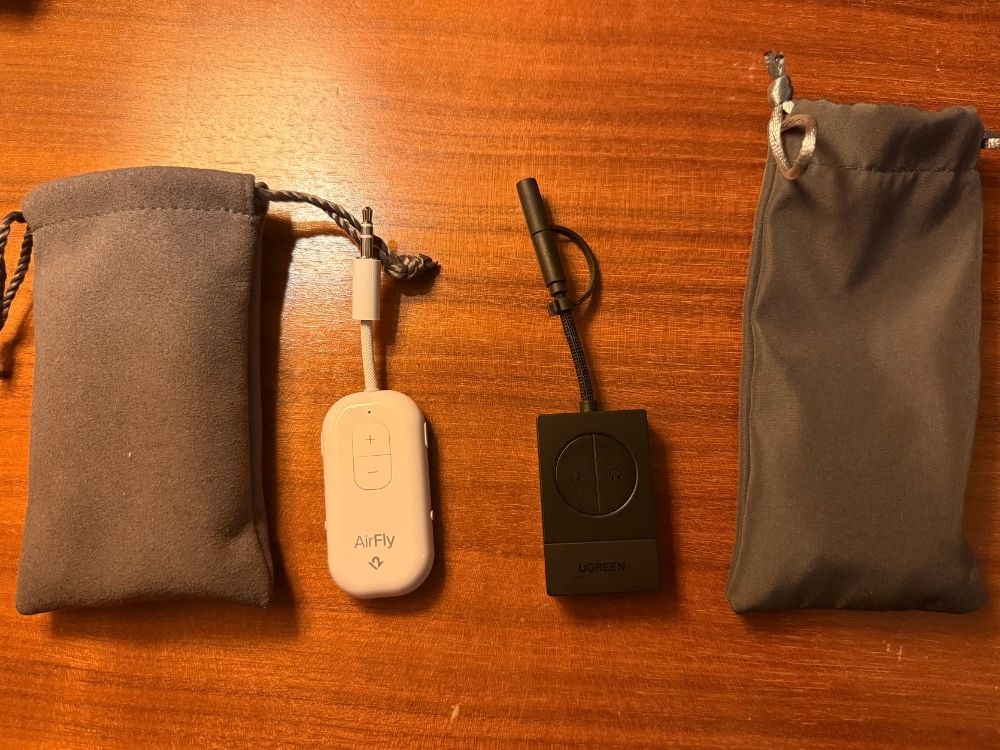
Since our two boys sometimes wanted to watch the same screen together, we bought two different transmitters that could each send audio to two pairs of bone-conduction headphones at once.
We tried both, and pairing was easy on either one — no confusion with the controls. The main reason we got two was really just the price difference. Here’s a comparison table.
| Item | AirFly Pro 2 | UGREEN Bluetooth 5.4 Transmitter |
| Price | About 8,400 yen (approx. $56.00) | About 3,500 yen (approx. $23.33) |
| Battery life | Up to 25+ hours (TX/RX) | Up to 28 hours (TX mode) Up to 20 hours (RX mode) |
| Supported codecs | aptX Adaptive / aptX HD / aptX LL / SBC / AAC | SBC / AAC |
| Transmit/receive | Supported | Supported |
TX = Transmit (plug it into something like a TV to send audio to your Bluetooth headphones)
RX = Receive (plug it into a speaker to receive audio from your phone)
A “codec” is basically the format your Bluetooth earphones and the transmitter use to exchange data. It’s what causes that slight delay where the sound lags a touch behind the video. Both the earphones and the transmitter need to support the same codec. AAC, for example, is what Apple products like AirPods use, and the lag is pretty minimal. SBC is the standard one that almost every device supports, but you can sometimes notice a delay with it. With aptX, there’s basically no noticeable lag (aptX HD is probably the one exception where you might notice some).
Low-latency codec headphones used to be pricey, but these days you can find aptX Adaptive models for around 10,000-20,000 yen (approx. $66.67-$133.33).
By the way, the Shokz OpenRun we mentioned earlier only supports SBC. It probably varies by person, but after using it for a while, we barely noticed any delay (though the kids didn’t end up using it…). That said, there’s technically always some lag with this setup, so if that bothers you, it’s worth picking earphones and a transmitter that both support a lower-latency codec.
As it turned out, the only thing our kids watched on the seatback screen this time was the flight map (the little map showing the plane’s current location), so we barely ended up using these at all.
Most flights hand out earphones or headphones, but they rarely fit kids well, and from experience, you often have to crank the volume way up before they can hear anything.
It doesn’t hurt to be ready to connect the seatback screen to something your kids are already used to.
AirFly Pro 2
UGREEN Bluetooth 5.4 Transmitter
Portable DVD Player
We went back and forth on this one, but we had a bad memory of once having videos saved offline, only to find we couldn’t actually play them once we were on the plane.
Thinking we might want to rewatch DVDs we already owned in Japan once we got to our new home, we bought a portable DVD/Blu-ray player and brought it on the plane too (though we never ended up using it..).
DVDs and Blu-rays each have their own, separate region code systems. DVDs use the same “Region 2” for both Japan and Europe, so they generally play fine either way. Blu-rays are different, though — Japan is “Region A” and Europe is “Region B,” so a Blu-ray bought in Japan won’t play on a European player.
The Blu-ray side was the one we had to be careful about, so we bought discs ahead of time.
Here’s what we were looking for when buying one. We ended up going with the YAMAZEN Qriom (Qriom is a Japanese electronics brand by YAMAZEN) portable Blu-ray player, which checked almost every box.
| What we wanted | This product |
| Plays both DVDs and Blu-rays | Supports both |
| Portable size and weight | About A3-paper size, 1.4 kg (3.1 lbs) |
| Easy-to-see screen | 13.3-inch screen |
| Comes with a car-use kit | Came with a car power adapter and a car-mount bag |
| Can output to a TV | Can connect via HDMI to a TV |
| USB charging | Can be charged via USB-C as long as it’s PD 20W / 12V or higher |
| Built-in battery (if possible) | No built-in battery. It runs off a portable charger instead! |
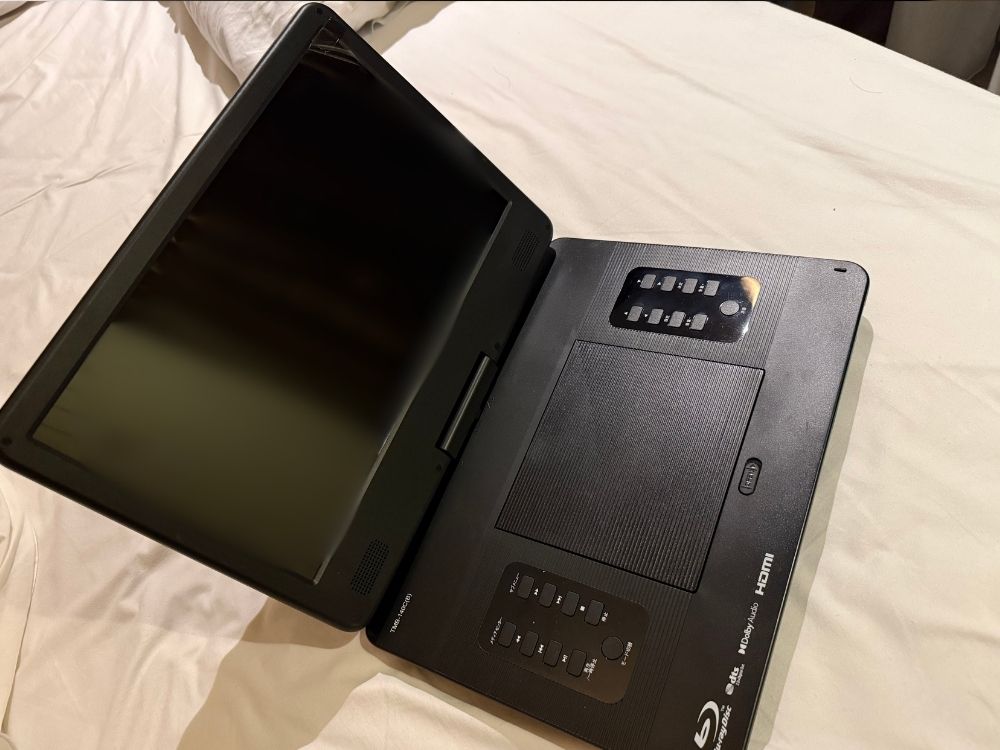
You pop the DVD or Blu-ray in the middle like this. You can control it from the unit itself, but it also comes with a remote.
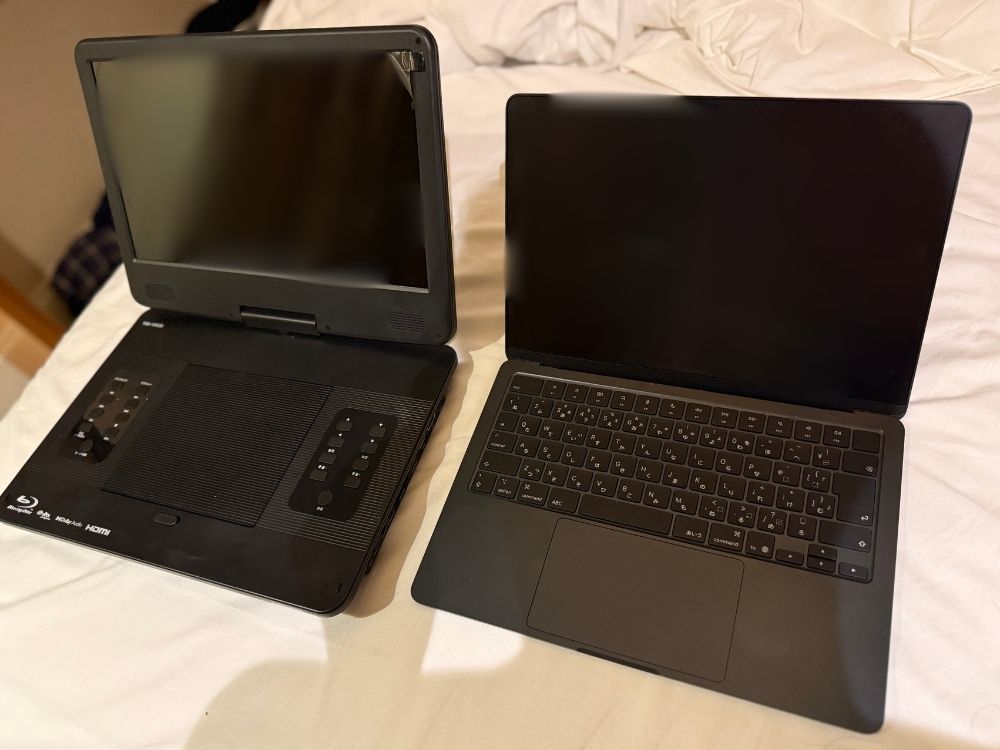
It’s a bit bigger than a MacBook Air for comparison.
The screen also rotates 180 degrees and folds flat (this is how you use it for car mounting).
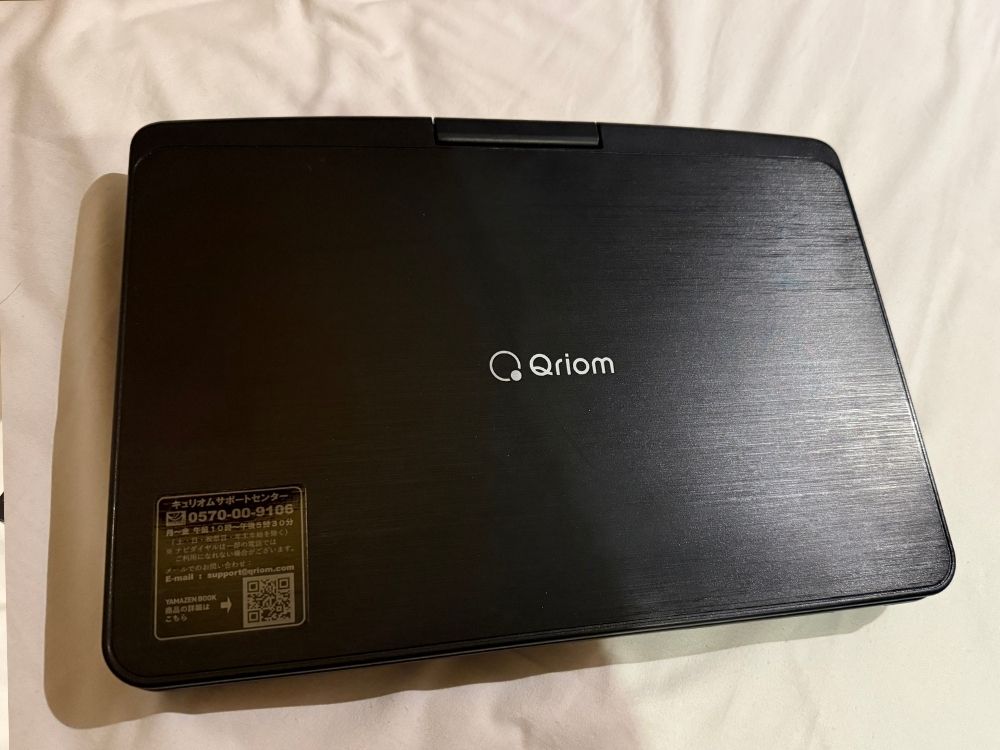
Here’s what it looks like folded up.
It came with a cover you can hang on the back of the front passenger seat for watching in the car.
Plus an adapter that lets you charge via USB from the car’s 12V outlet.
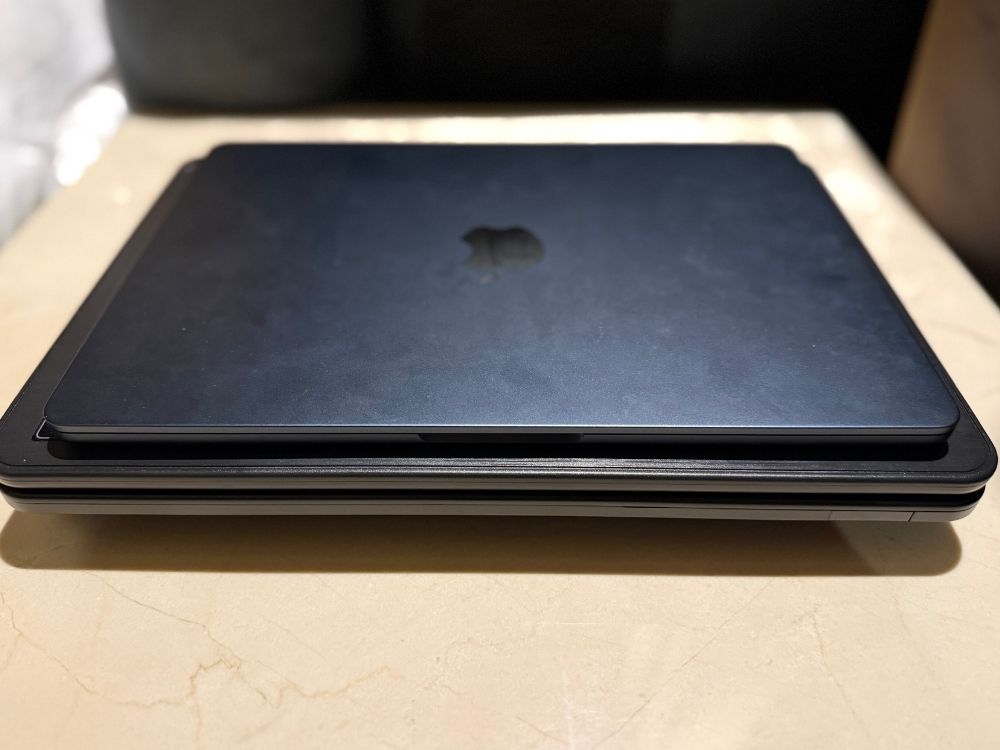
Folded up, it’s a bit bigger and roughly 3 times thicker than the MacBook Air. That said, since it has no built-in battery, it’s really light. It took up about half the space in our bag.
We thought not having a battery might be a dealbreaker, but we never actually found ourselves somewhere we couldn’t charge it, so the upside — being light for its size — ended up winning out.
YAMAZEN Qriom Portable Blu-ray Player
This particular model is only sold in Japan. If you’re living somewhere else, use our checklist above as a guide to find something that fits what you need!
Everyday Essentials We Always Pack!
Here are a few of our go-to staples too.
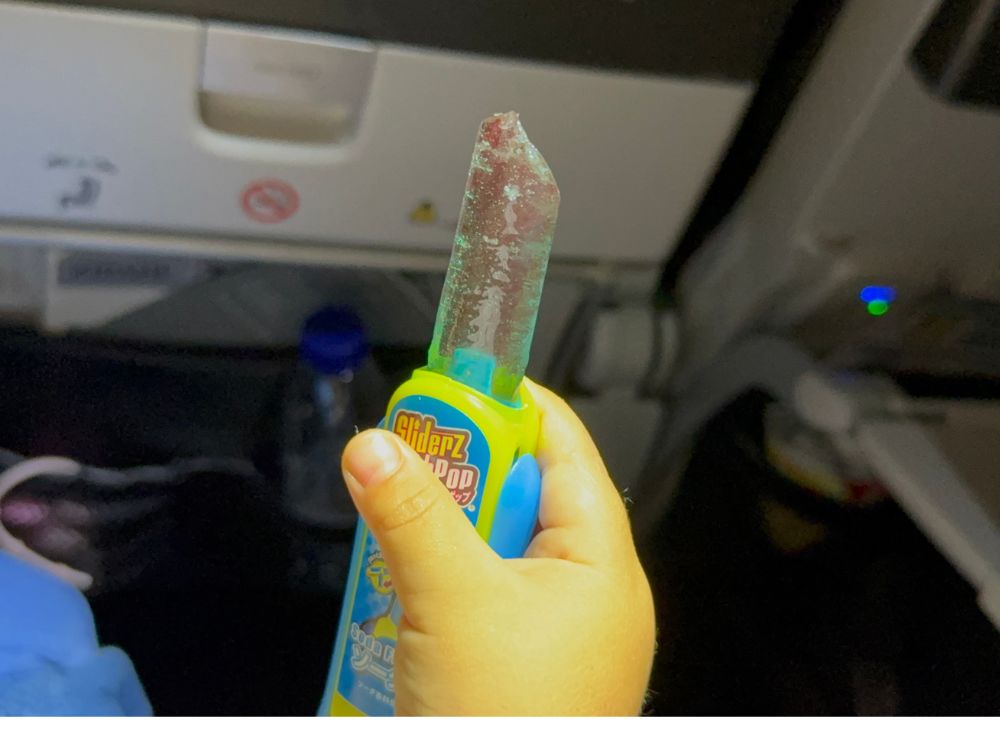
1. Snacks!
Long-haul flights usually mean heading somewhere abroad, so it’s a good idea to pack extra snacks your kids already know and like.
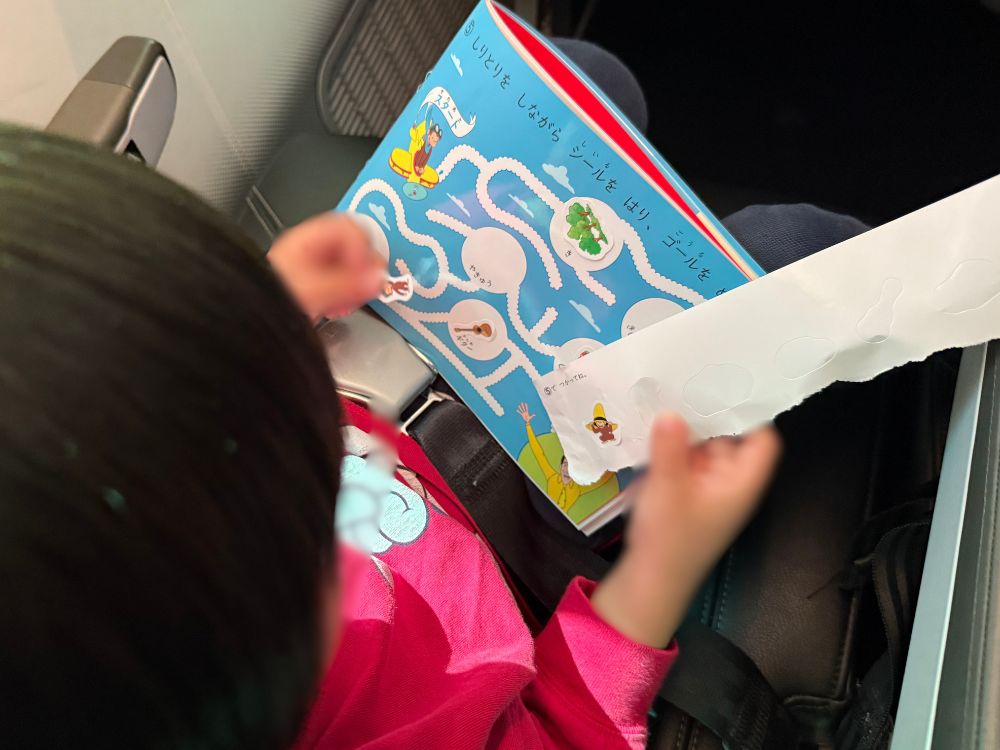
2. Sticker books or coloring books, that kind of thing.
Sticker books are especially handy since there’s nothing that can roll away!
On overnight flights the lights go off, so these actually don’t get used as much as you’d think.
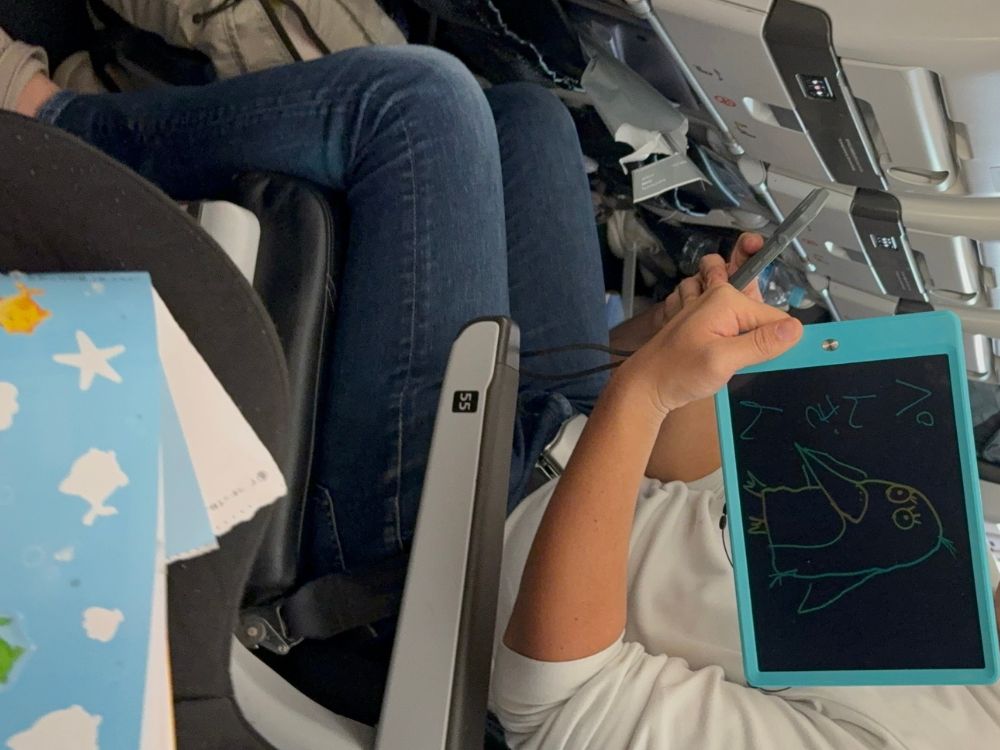
3. A write-and-erase board.
Personally, I like the 10-inch size — it’s easy to use.
It’s not just for the kids to draw on — adults can write on it too and play along with them.
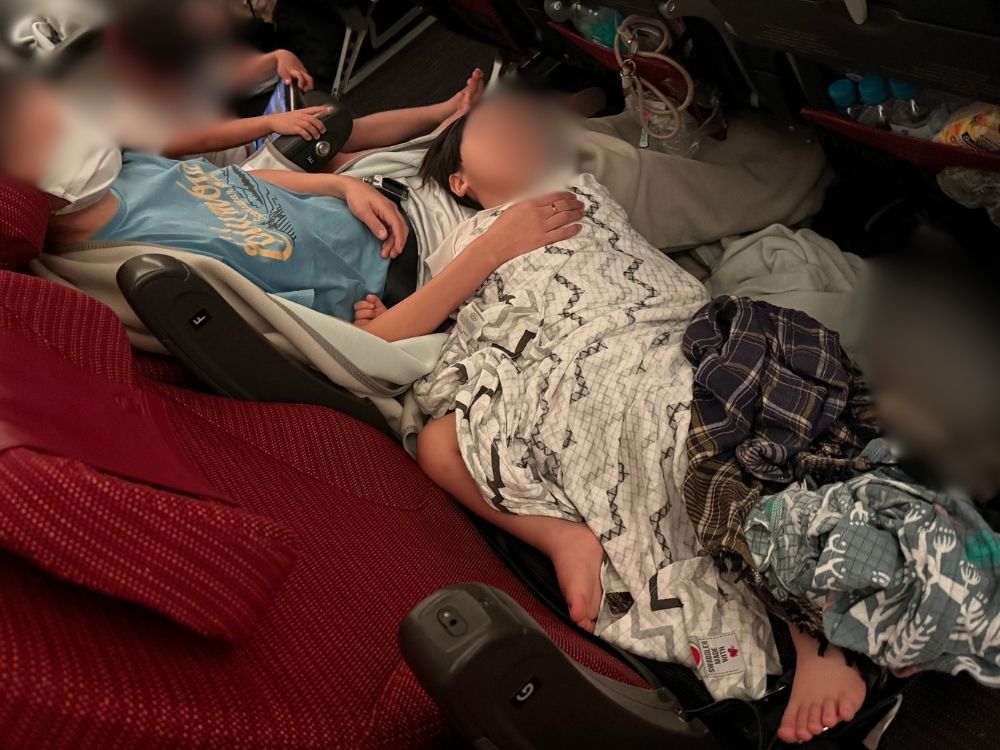
4. Something to help with temperature
A flight-attendant friend told me the cabin temperature can technically be adjusted, but it’s still safest to be able to adjust things yourself.
I’d recommend packing things like socks and a blanket.
A blanket can double as a pillow or cushion too. In our case, we bring along the swaddle blankets our kids used as babies.
On top of that, I’d recommend packing extra clothes and diapers too!
Flights can get delayed and take longer than expected, and kids can spill juice on themselves — so pack extra in your carry-on just in case!
In Summary
I think the key to starting a trip off right is making sure everyone gets real rest and keeps their energy up.
I hope you can prepare well and enjoy a comfortable flight!
I hope this was helpful.
Thank you so much for reading all the way to the end.